One platform to sell the ticket and open the door.
Before you sell, the event already carries your brand, your map, and your page.
Your audience sees your brand, from the browser address to the ticket on their phone.
A wizard takes you from a blank event to tickets on sale.
Draw your venue once and use it for every show.
Every event gets its own sales page, built for the phone first.
Money comes in through your gateway and your box office, and every dollar has its order.
Collect online through your gateway and sell at the venue from the box office.
Every order shows what was bought, how it was paid, and whether the ticket got in.
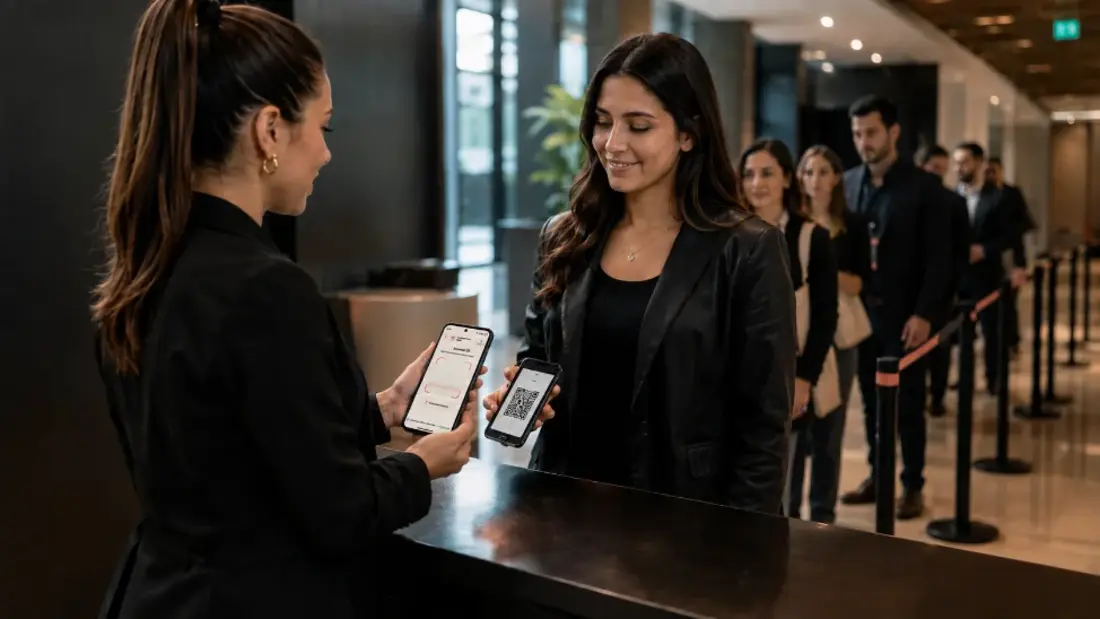
Event day is won or lost at the door.
The door keeps moving when the signal drops.
One roster for everyone who comes in without a ticket.
Data helps while you can still change something.
You know which campaign sold each ticket and what your ad spend returned.
What your buyer receives carries your brand too.
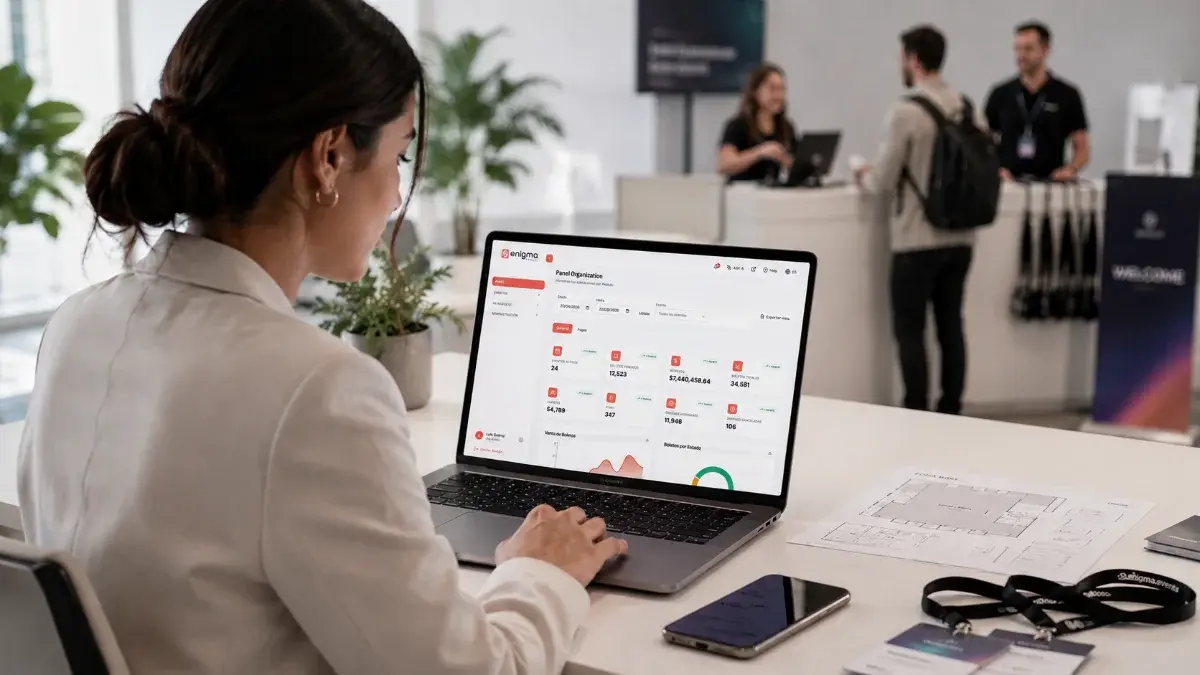
Sales and attendance as they happen, not the next day.
Want to see it with your own event?
Platform
Use cases
Resources
Company
Offline check-in: the staff app keeps validating tickets even when the venue signal drops. See how it works
Create and publish
Sell and collect
Run the door
Measure and communicate
Enigma Events platform
Everything between announcing the event and the last entry, in modules that share the same information: what you create, sell, and validate is already in the next step.
Create and publish
Sell and collect
Run the door
Measure and communicate
01 · Create and publish
Your brand, events, tickets, and venue are defined once and serve the sale, the box office, and the door.
White label
With White Label the platform wears your brand. The sale happens on your domain, and ours can stay out of sight.
Your own domain
Your logo and colors
Your brand colors in the app
Your sponsors' logos
Your own browser tab icon
Enigmatech logo hidden
Events and tickets
You set up each event in four steps (event, content, tickets, and map) and decide what is sold, at what price, and with what capacity.
Ticket types with price and capacity
A limit per order
Free tickets
Discount codes
Each event's own time zone
Archived events you can restore
Seat maps
The map is saved as a template and assigned to any event, with numbered seats, general admission, or both on the same plan.
Sections with rows and seats
Seats placed on your floor plan
Theater designer with curved rows
Wheelchair and companion seats
A price per zone
The box office sells from the same map
Seats 12 and 13 · Two orchestra tickets
Event page and checkout
You also get an organizer site with your events, built from sections you arrange. Your buyer picks, applies a code, and pays without leaving your brand.
Multi-page site builder
Dates, venue, and location
Ticket or seat selection
Discount code at checkout
Your terms accepted on the order
Page in Spanish and English
02 · Sell and collect
Online and on-site sales see the same availability and leave the same trail.
Online payments and box office
Connect Stripe or PayPal. With Stripe Connect, the ticket money reaches your bank account.
Your own gateway accounts
Box office: cash or card terminal
Printed ticket with its QR code
Receipt on a sheet or thermal roll
Offline, it keeps selling general admission
Payments and refunds, order by order
Gate 3 lost the network and keeps selling general admission for cash.
Orders and receipts
Every paid order produces a PDF receipt with your details as the issuer, which the buyer downloads or receives by email.
Documents accepted at purchase
Gateway and payment reference
The status of each ticket
Downloadable receipt
A list of buyers
Export of the records
Every charge and every refund stays on the order.
03 · Run the door
Tickets and accreditations are validated with the same app, and what happens at the door reaches the dashboard.
Access control and staff app
Your staff scan tickets with an app on their phones. Without internet, the app keeps validating, stores the entries, and uploads them on reconnect.
Dynamic QR in the buyer's app
Or a fixed QR sent by email
Duplicate ticket warning
Every conflict is logged
Real-time scans in the dashboard
Staff invited and assigned per event
Accreditations and badges
Staff, suppliers, press, sponsors, artists, and comps, each with a daily quota, a zone, and a badge with a QR code.
Quota per company or team, per day
Roles and zones: who gets in where
Each supplier registers its own people
Import with a check before loading
A cutoff time to close the list
Validation with time and who did it
04 · Measure and communicate
Which campaign sells, what your buyer receives, and how the event is going, while it happens.
Campaigns and attribution
Every order stores its source at checkout. With the Meta Ads connection, each campaign's daily spend lands on the same dashboard.
Meta Pixel
Google Analytics 4
Source, medium, and campaign per order
Daily Meta Ads spend
Revenue by source
Return (ROAS) by campaign
Buyer emails
The templates for the emails sent with each purchase carry your logo in the header, and the receipt carries your details.
Email templates
Your logo in the header
Tickets with their QR code
PDF receipt
Your logo in the header and your PDF receipt attached.
Live reports
The dashboard shows what is happening by date range and by event, and what you see can be exported.
Tickets sold and revenue
Customers and orders
Sales by day and revenue by event
Valid, used, and cancelled tickets
Approved and cancelled orders
Export of the view
In the demo we use your venue and your tickets as the example, and tell you which modules you need and which you do not.
Enigma Events is the ticketing, registration, and access control platform organizers use to create, sell, and run events under their own brand. Part of EnigmaSuite .
White label
Events and tickets
Seat maps
Payments and box office
Access control
Accreditations
Campaigns and reports
Producers and promoters
Event agencies
Venues and theaters
White-label ticketing
Fairs, expos, and festivals
Corporate events
Book a demo
Pricing
Articles
Customer sign-in
EnigmaSuite
Enigma Workforce
+1 647 509 5220
Privacy notice
Trust center
Español
English

 See how it works
https://enigmaevents.net/events/en
Producers and promoters Concerts, festivals, and tours.
Pricing
Resources
ES
Book a demo
EnigmaSuite
Customer sign-in
Enigma Workforce
Privacy notice
Trust center